
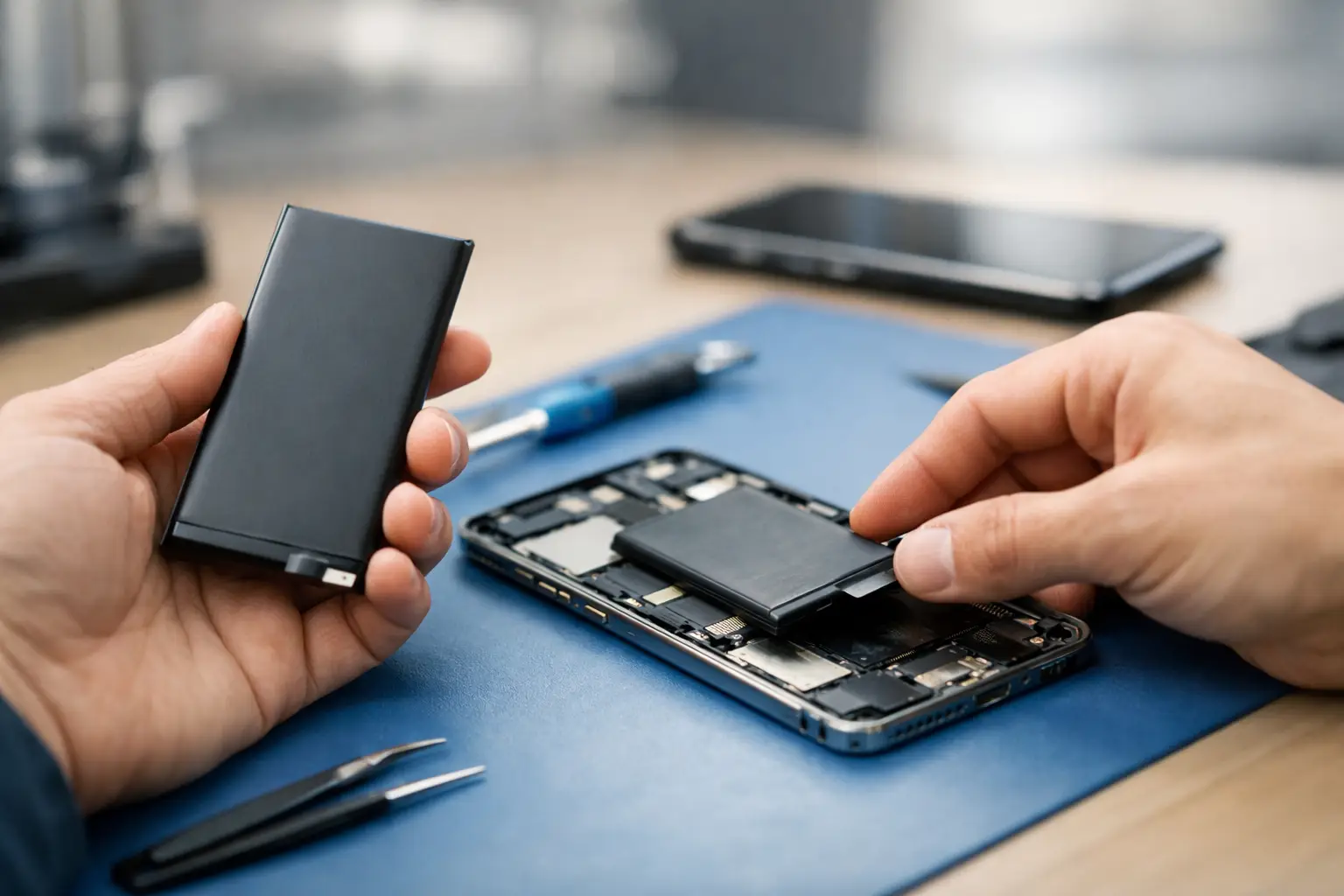
Your phone should not be at 18% before lunch after a full overnight charge. If you are carrying a charger everywhere, watching your battery percentage drop during normal use, or dealing with random shutdowns, a Warner Robins phone battery replacement may save you from the cost and hassle of buying a new device.
A worn battery can make an otherwise good iPhone or Android feel unreliable. Calls drop because the phone shuts down. Maps become risky on a drive across Middle Georgia. Work messages, school apps, payment apps, and family photos are suddenly tied to the nearest outlet. The good news is that battery trouble is often repairable the same day, and replacing the battery is usually far more practical than replacing a phone that still does what you need.
The Signs Your Phone Battery Is Actually Failing
Every battery loses capacity over time. That is normal. What matters is whether the loss has reached the point where your phone no longer keeps up with your day.
Fast drain is the most obvious sign. A healthy phone will lose power with heavy streaming, gaming, navigation, or video calls, but it should not fall dramatically while sitting in your pocket or doing basic tasks. If the battery drops from 50% to 20% unusually fast, the battery may no longer hold a dependable charge.
Unexpected shutdowns are another strong warning. When a phone turns off at 20%, 30%, or even higher, it may not be able to provide stable power during a moment of higher demand. Cold weather can make this problem more noticeable, but repeated shutdowns in normal conditions should be checked.
Heat is worth paying attention to as well. Phones can get warm while charging or running demanding apps. They should not become excessively hot during simple use. A battery that swells, causes the screen to lift, or makes the back of the phone separate from its frame needs prompt attention. Stop charging it and have it inspected rather than pressing the screen back into place.
Slow charging does not always mean the battery is bad. A worn cable, damaged charging port, weak charging block, or debris in the port can create the same frustration. A proper diagnosis separates a battery issue from a charging issue, so you do not pay for a repair that will not solve the problem.
When Warner Robins Phone Battery Replacement Makes Sense
Battery replacement makes the most sense when the rest of your device is in good shape. If your screen works, cameras still meet your needs, storage is sufficient, and the phone receives the software support you need, a new battery can extend its useful life significantly.
For many people, that means avoiding a much larger upgrade bill. A battery repair can restore the daily confidence you lost: leaving home without a power bank, making it through a shift, or letting a child take a phone to school without worrying that it will be dead by dismissal.
It depends on the device, though. If your phone also has major screen damage, water damage, weak signal, charging trouble, and an outdated operating system, putting money toward a replacement device may be the smarter move. The right decision is not always the cheapest repair. It is the option that gives you reliable use for the money you are spending.
A technician should assess the overall condition of the phone, not just react to the word “battery.” At Reboot Hub, certified technicians can check common causes of battery and power complaints before recommending the repair. That straightforward approach matters when you need an answer quickly, not a guess.
What Happens During a Battery Repair
A phone battery replacement is more involved than swapping a removable battery in an older device. Modern phones are tightly sealed and built with adhesive, delicate display cables, and compact internal components. Opening one without the right tools can damage the screen, compromise water-resistant seals, or puncture the battery.
The repair process starts with confirming the problem. The technician checks charging behavior, power draw, battery condition where available, and signs of physical damage. If the battery is the issue, the device is carefully opened, the old battery is safely removed, and the replacement is installed and tested.
After installation, the phone should be checked for charging, power stability, display function, cameras, speakers, buttons, and wireless connections. Battery repair should not be treated as a quick part swap with no follow-through. Your phone needs to leave working as a phone, not simply showing a new battery percentage.
Many common models can be handled with a fast, same-day turnaround, often with a 30-minute-or-less goal when parts and device condition allow. Some devices require more time because of their design, existing damage, or the need for additional diagnostics. A good repair shop will tell you what is realistic before work begins.
Do Not Let a Cheap Repair Become an Expensive Problem
Price matters, especially when you are deciding between repair and replacement. But the lowest number on a sign is not always the lowest-cost outcome. Poor-quality batteries can lead to weak runtime, inaccurate battery readings, overheating, or early failure. Inexperienced installation can turn a simple battery repair into a broken screen, damaged cable, or charging problem.
Ask what is included in the quote. You should know whether the shop will diagnose the device first, test it after the repair, and stand behind the work. A warranty gives you a path forward if something is not right after the repair. Reboot Hub backs eligible repairs with a lifetime warranty and a Low Price Guarantee, so customers can focus on getting a dependable phone back instead of gambling on a temporary fix.
Be cautious with do-it-yourself battery kits, too. They can work for someone with experience, patience, and the right tools. For most people, the trade-off is not worth it. Adhesive removal, tiny screws, fragile screens, and lithium-ion battery safety leave little room for mistakes. If your phone is essential for work, school, or family communication, professional repair is usually the faster route.
How to Get More Life From the New Battery
A new battery gives your phone a fresh start, but your charging habits still affect how it performs over time. You do not need to manage every percentage point. Just avoid the habits that create unnecessary heat and strain.
Use a reliable charger and cable that match your device’s requirements. If your phone gets hot while charging, remove a thick case, stop running demanding apps, and make sure the charging port is clean. Do not leave it in a hot car, on a dashboard, or under a pillow while plugged in. Heat is one of the biggest enemies of battery health.
Keeping your software updated can help as well. Updates sometimes improve power management and fix apps that drain power in the background. If your battery suddenly started draining after a new app or update, check for app updates and watch which apps are using the most power before assuming the battery has failed.
You also do not need to wait until the phone will not turn on. Repairing a degrading battery before it swells or starts causing shutdowns protects your daily routine and can help prevent damage to the screen or internal components.
If your phone is dying too soon, shutting down without warning, or forcing you to plan your day around an outlet, get it diagnosed while the problem is still simple. A fast battery repair can put a reliable phone back in your hand and let you get on with the things that actually need your attention.