
A phone that will not charge, a console with no picture, or a laptop that suddenly will not power on can feel like a replacement problem. It is not always one. Board repair versus replacement is the decision that can determine whether you keep the device, protect your data, and get back to normal for far less than the cost of buying new.
The right answer depends on the failure, the device’s age and value, the condition of the rest of the hardware, and how quickly you need it back. A certified technician should diagnose the actual fault before anyone tells you to replace a device just because it will not turn on.
What Board Repair Actually Means
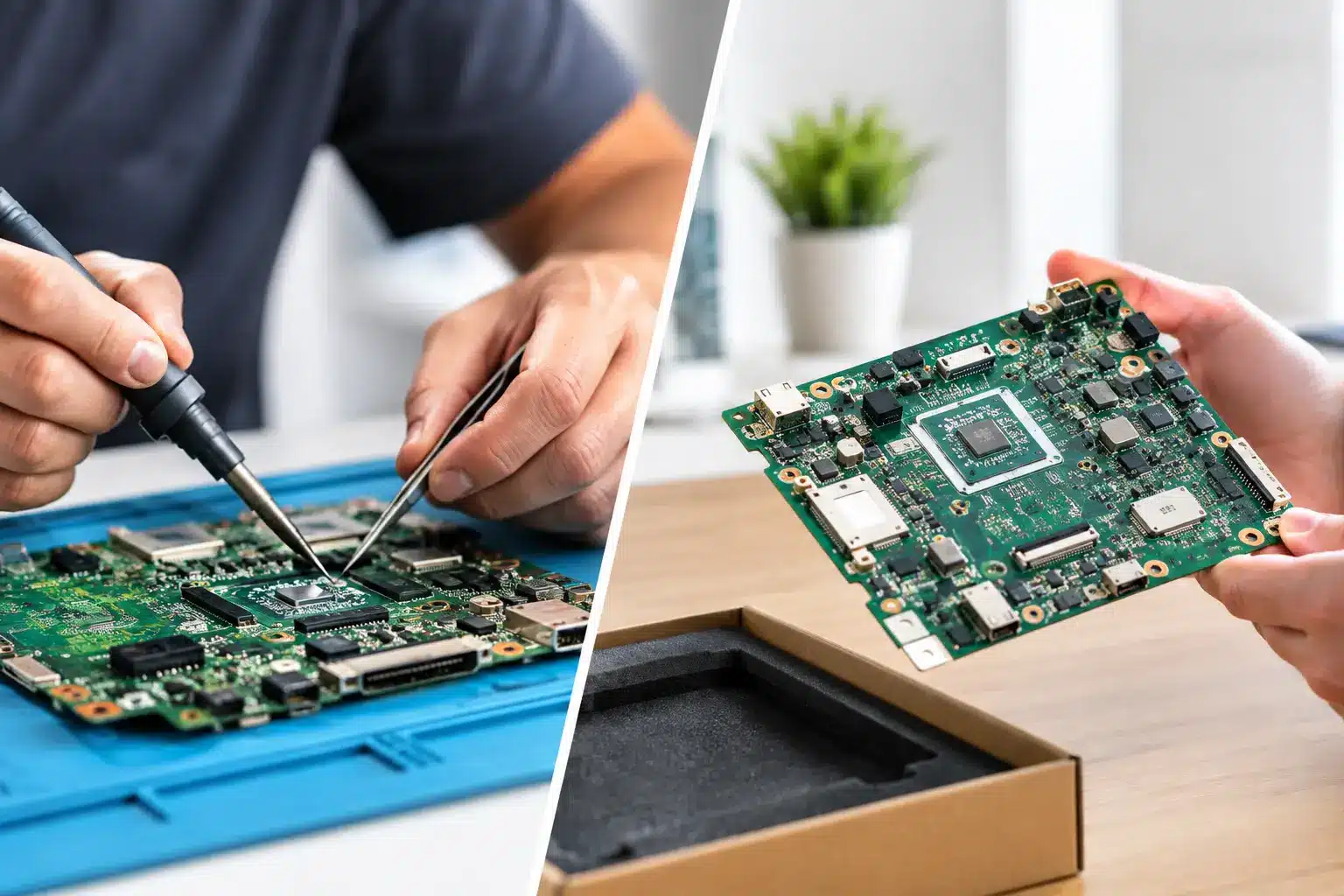
The board is the device’s main electronic control center. In phones, tablets, laptops, game consoles, and smartwatches, it connects the processor, storage, charging circuit, display functions, wireless connections, cameras, and more. When a board-level component fails, the symptoms can look serious: no power, no charging, no signal, repeated restarting, missing touch functions, or no HDMI output.
Board repair means finding the failed connection, chip, filter, connector, or circuit and repairing that specific issue. This often requires microsoldering, precision tools, diagnostics, and a technician who knows how to work around tightly packed components without damaging the surrounding board.
That is different from replacing a screen, battery, charging port, or speaker. Those are common repairs with separate parts. Board-level work is for the problems that remain when the obvious part is not the cause.
Board Repair Versus Replacement: Start With the Real Failure
Replacement makes sense when the repair cost is too close to the value of the device, when the damage affects multiple major systems, or when the device is already outdated and unreliable. But replacing too soon can be expensive, especially when a targeted board repair can restore a device that is otherwise in great condition.
Consider a phone that stopped charging after a cheap cable damaged the charging circuit. If the screen, battery, cameras, and housing are still solid, replacing the entire phone may be overkill. The same is true of a PS5 that powers on but shows no image because of a damaged HDMI port. A proper PS5 HDMI port repair in Macon can be a far better value than replacing a console that still has years of use left.
The key is diagnosis. “No power” is a symptom, not a diagnosis. It could be a dead battery, a damaged charging port, a power-management issue, liquid corrosion, a failed display, or board damage. Those repairs carry very different prices and turnaround times.
When Repair Is Usually the Better Call
Repair is often the smart move when the device is relatively current, the issue is isolated, and the rest of the device is in good shape. It is also the better call when the data on the device matters.
Many people do not realize that replacing a phone or computer does not automatically recover the photos, messages, account access, work files, saved games, or authentication apps stored on the old device. If the board is the problem, a successful repair may be the only practical route to getting that information back.
Repair is especially worth considering in a few common situations:
- Your device has a single major symptom, such as no charge, no signal, no touch response, or no image output.
- The device is newer enough that a replacement would be significantly more expensive than the repair.
- The display, battery, cameras, buttons, and body are otherwise in usable condition.
- Your data is not backed up or cannot be accessed from another device.
- You need fast restoration for work, school, family communication, or gaming.
For local customers searching for iPhone screen repair in Warner Robins, the board may not be part of the job at all. But if a phone still has touch issues, display problems, or charging trouble after impact damage, a technician needs to check beyond the screen. A visible crack can be only one part of the damage.
When Replacement Is the Smarter Investment
There are times when a repair is not the responsible recommendation. A good repair shop should tell you that plainly.
Replacement may be the better choice after severe liquid damage that has spread through multiple layers of the board and other components. Corrosion can continue to cause problems even after the first issue is repaired, particularly if the device sat wet for days or was powered on repeatedly after exposure.
It can also make sense to replace a device when it has several expensive problems at once. A phone with major board damage, a failing battery, a broken screen, and a bent frame may not be a cost-effective repair. The same logic applies to a laptop with board failure, a cracked display, and an aging battery.
Device age matters too. If a repair would cost a large percentage of the price of a newer, supported replacement, investing in newer hardware may give you better battery life, performance, security updates, and reliability. The decision should be based on the actual quote, not guesswork or pressure.
The Cost Question Is Bigger Than the Repair Quote
The lowest upfront price is not always the best value. A replacement device may require a case, charger, screen protector, transfer time, new accessories, activation, and setup. It may also mean hours spent restoring apps, passwords, photos, payment methods, and settings.
On the other hand, a board repair should not be treated as a blind gamble. Ask what was found during diagnosis, what component or circuit is affected, whether the issue appears isolated, and what warranty applies to the work. Clear answers help you compare repair against replacement with confidence.
Reboot Hub approaches the choice around what gets you working again quickly without paying for more than you need. Some repairs can be completed same day, often with a 30-minute goal for common failures. Board-level repairs may take longer because precision diagnostics come first, but that time can still beat the disruption and expense of replacing a device outright.
Water Damage Changes the Decision
Liquid damage deserves special attention because it is unpredictable. Water can create an immediate short, but it can also leave behind corrosion that causes a failure days or weeks later. Rice does not remove corrosion, and powering on a wet device can turn a repairable issue into a larger board failure.
If your device has been exposed to liquid, turn it off if possible, do not charge it, and bring it in for diagnostics. A technician can assess whether the board can be cleaned and repaired, whether data recovery is realistic, and whether replacement makes more financial sense.
The sooner you act, the better the odds. Waiting does not dry out corrosion. It gives it time to spread.
Console and Laptop Repairs Need the Same Honest Math
Board repair is not just a phone issue. Consoles often need board-level attention after HDMI port damage, power faults, overheating, or failed USB connections. A game console can look completely dead when one damaged port or circuit is preventing normal startup or video output.
Laptops can also be strong candidates for repair when the storage, screen, keyboard, and chassis are still in good condition. A board issue may be repairable without forcing you to buy a new computer and rebuild your entire work or school setup.
For a small business, that downtime has a real cost. Replacing a work phone or laptop means transfers, logins, software installs, and lost time. A targeted repair can be the fastest way to get an employee back online.
Get a Diagnosis Before You Make the Call
Do not let a scary symptom force a rushed replacement. Bring the device in, explain what happened before the failure, and ask for a clear diagnosis and quote. Mention drops, liquid exposure, charging behavior, error messages, overheating, or previous repairs. Those details help narrow down the cause faster.
A fair recommendation will not always be “repair it.” It will be the option that makes sense for your budget, your data, and your timeline. If a board repair can save a reliable device, it is worth considering. If replacement is the better value, you should know that before spending money on a repair that will not serve you well.
Your device does not have to stay dead just because the problem is deeper than a screen or battery. Get the failure checked by a technician, get the numbers, and choose the fix that gets your life moving again.