
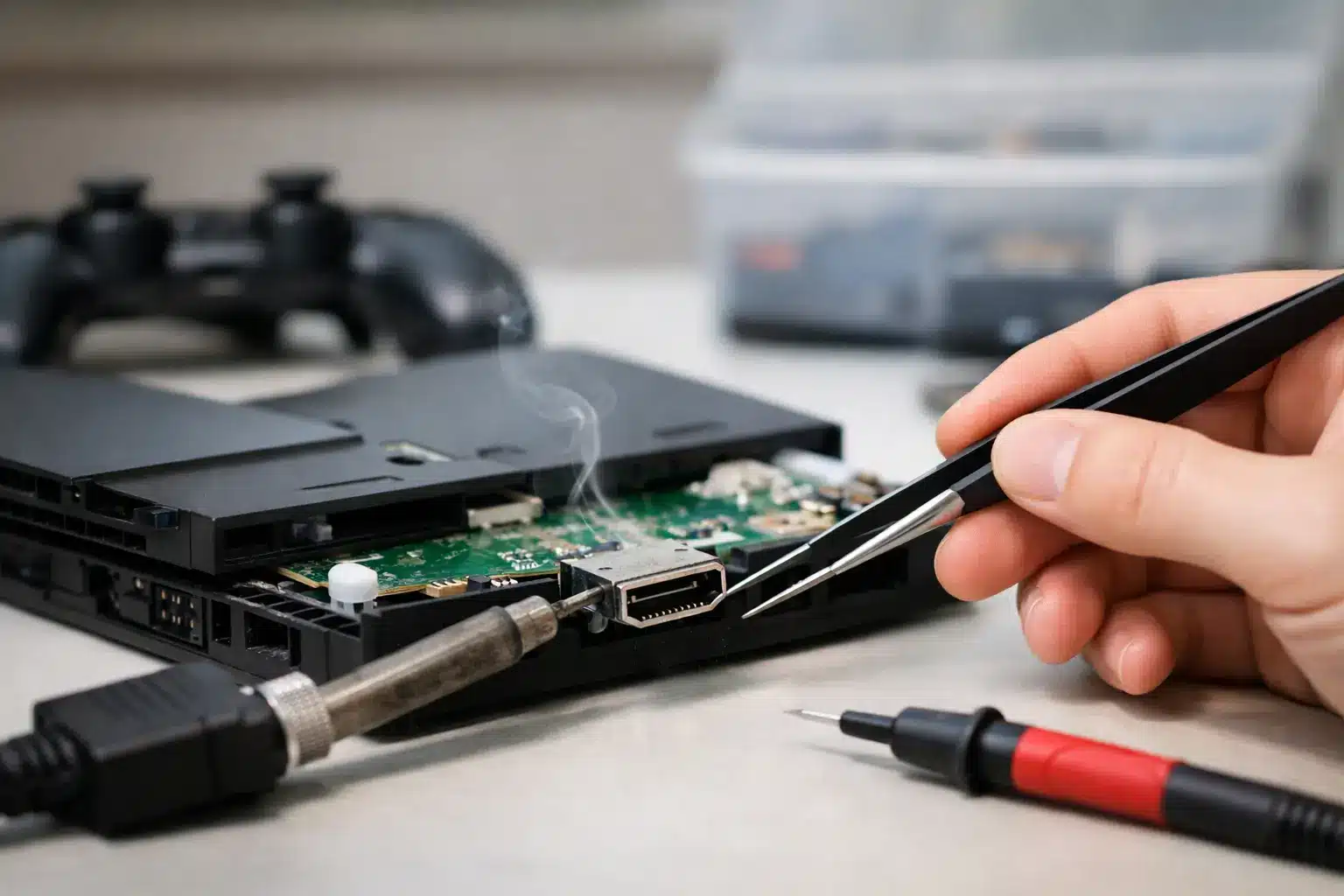
Your console powers on, the controller connects, and you can hear the game starting – but the TV says “No Signal.” That is the frustrating moment when a guide to console HDMI repair becomes useful. A failed picture does not always mean a failed HDMI port, but a loose, bent, or damaged port is one of the most common reasons PS5 and Xbox owners suddenly lose their display.
What Console HDMI Repair Actually Fixes
The HDMI port is the small connection on the back of your PS5, Xbox Series X, Xbox One, or other game console. It carries the video and audio signal from the console to your TV or monitor. Because the cable plugs directly into it, the port takes a lot of stress from tight entertainment centers, accidental bumps, cables pulled at an angle, and repeated plugging and unplugging.
A proper HDMI repair is not just about making the port look straight again. On most modern consoles, the port is soldered directly to the motherboard. When its pins crack, bend, lift, or lose contact with the board, the console may turn on normally while sending no image at all. The repair requires board-level work, precise soldering, and inspection of the surrounding components.
That distinction matters. Replacing a cable is simple. Replacing a console HDMI port is microsoldering work. A rushed attempt can tear pads from the motherboard or create a short that turns one repair into a more expensive board repair.
Signs the HDMI Port Is Probably the Problem
A bad display can come from the TV, cable, console settings, or internal video circuitry. Still, physical port damage often leaves clear clues. If the cable feels loose, falls out easily, only works when held at a certain angle, or will not fully seat in the console, the port deserves a close look.
Other common signs include a black screen after a drop, flickering picture, intermittent signal loss, distorted colors, or a TV that repeatedly switches between detecting and losing the console. You may also see bent metal inside the port, missing pins, or a port that sits lower than normal in the console housing.
Do not force the HDMI cable into a damaged port. If the connector is misaligned, pushing harder can bend the cable tip, break more pins, or damage the board beneath the port.
Guide to Console HDMI Repair: Rule Out the Simple Fixes First
Before assuming you need a PS5 or Xbox HDMI port repair, test the parts around the console. This takes only a few minutes and can save you from paying for a repair you do not need.
Start with a known-good, high-speed HDMI cable. Cables can fail internally even when their outer jacket looks fine. Plug it directly into another HDMI input on the TV, then try the console on another television or monitor if one is available. Make sure the display is set to the correct input and remove any HDMI switch, soundbar pass-through, capture card, or receiver from the setup while testing.
If the console works on another screen, the issue may be with your original TV input or home theater equipment. If it fails with multiple tested cables and multiple displays, inspect the console port without inserting anything into it. A flashlight can help you spot bent pins or debris, but do not use metal tools, toothpicks, or compressed air at close range. Those quick fixes can create a bigger problem.
A system reset may help when the HDMI port is physically sound but the video setting is incompatible with the display. This is more likely after changing a TV, monitor, refresh-rate setting, or resolution. It is far less likely to solve a port that is visibly loose or damaged after an impact.
Why PS5 and Xbox HDMI Ports Fail
Most failed ports are caused by physical strain, not normal console use. A console can be perfectly fine one moment, then lose its picture after the cable gets snagged by a pet, a child, a vacuum, or a crowded media cabinet. Moving a console while the HDMI cable is still connected is another frequent cause.
PS5 consoles are especially vulnerable when placed where the rear cable has little room to bend naturally. If the connector is pushed sideways against a wall, the cable can put constant pressure on the port. Xbox consoles face the same risk, especially when a heavy cable or adapter hangs downward from the back panel.
There is also an internal side to the diagnosis. A port can look normal but have cracked solder joints, damaged pins, or a failed HDMI encoder chip. Water exposure, power surges, prior repair attempts, and corrosion can complicate the job. That is why a trustworthy repair shop diagnoses the full HDMI circuit instead of automatically replacing the port.
What a Professional Console HDMI Repair Looks Like
A quality repair starts with testing. A technician checks the cable connection, port condition, power behavior, and video output before opening the console. Once the issue points to the port, the console is disassembled carefully so the motherboard can be accessed without damaging fans, shields, connectors, or thermal components.
The damaged HDMI port is removed using controlled heat and specialized microsoldering equipment. The board pads are inspected, cleaned, and prepared before a replacement port is installed. Each pin must be aligned and soldered correctly. The technician then checks for proper connections, shorts, and signal-path damage before reassembling and testing the console on a display.
This is why console HDMI repair is not a good match for a basic home soldering iron. Heat applied in the wrong place can warp the port, lift tiny motherboard traces, melt nearby components, or cause damage that is difficult to see until the console will not power on. The lowest upfront price is not always the lowest total cost if the repair is incomplete or the board is damaged during the attempt.
At Reboot Hub, certified technicians handle console and board-level repair with a speed-first approach, clear pricing, and warranty-backed work. For many customers, same-day service is the difference between missing the weekend gaming plans and getting back online fast.
When Repair Makes More Sense Than Replacing the Console
For a PS5 or Xbox Series X that powers on and otherwise works normally, HDMI port repair is often far more practical than replacing the whole console. Your games, saved data, accounts, and accessories stay with the device you already own. Repair can also be the better value when replacement consoles are expensive or difficult to find.
The decision changes if there is major liquid damage, severe motherboard corrosion, or multiple failures beyond the HDMI circuit. A professional diagnosis gives you the real answer before you spend money. Ask whether the quoted work covers only the port, whether the surrounding HDMI components were tested, and what warranty applies to the repair.
If you are searching for PS5 HDMI port repair Macon or need fast Xbox repair near Warner Robins, bring the console in with its power cable and, if possible, the HDMI cable that was connected when the problem started. That gives the technician useful clues and helps speed up testing.
Prevent Another HDMI Port Failure
After the repair, give the cable room behind the console rather than pressing the system tightly against a wall. Use a cable with a connector that fits firmly without excessive force, and avoid moving the console with anything connected to the rear ports.
For families with active gaming setups, it also helps to place the console where cables cannot be kicked, pulled, or bent sharply. A little space around the back of the system protects a repair that should last.
A blank screen can feel like the end of a console, but it is often a fixable connection problem. Get the port diagnosed before replacing a console that may only need careful, professional repair.