
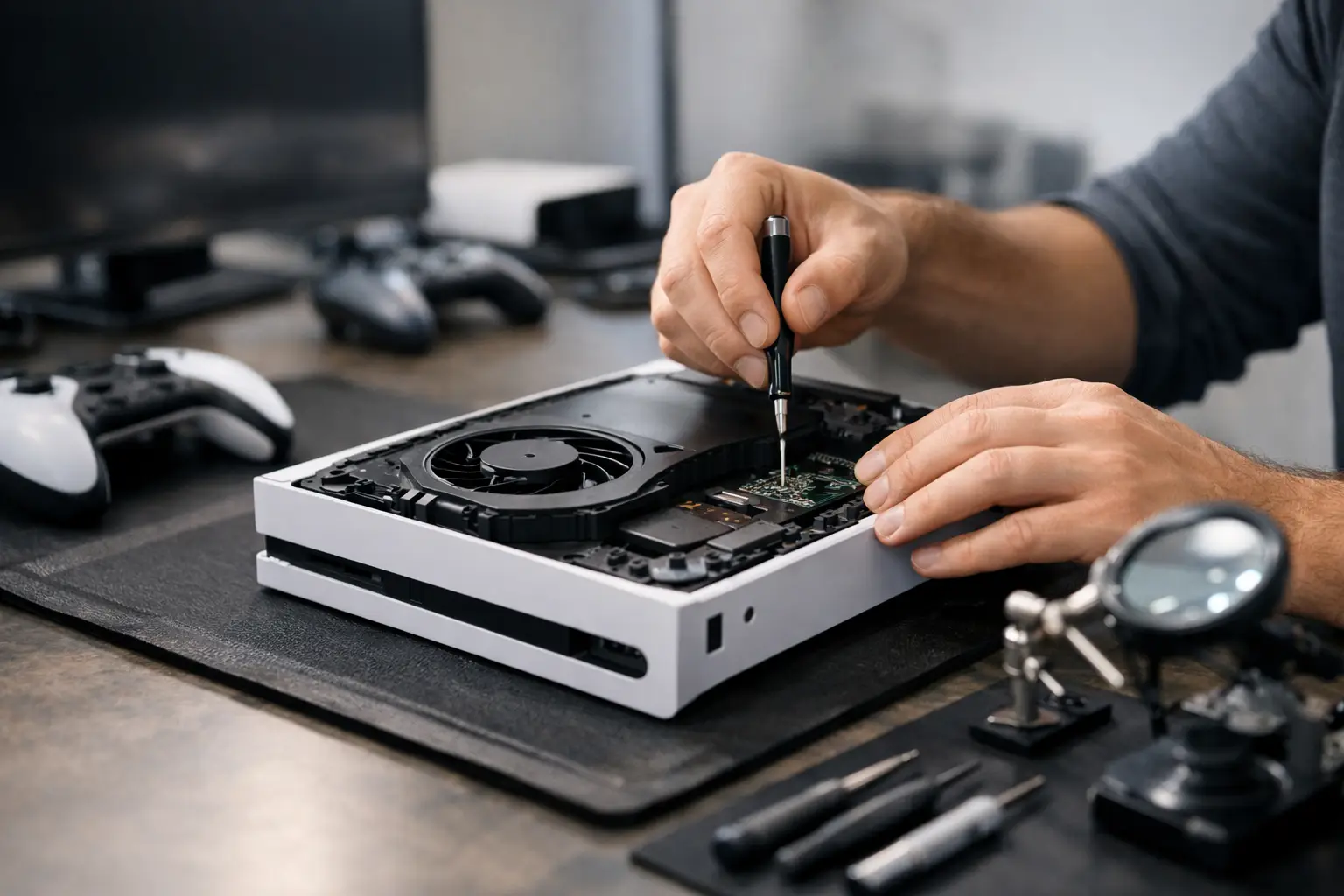
Your PS5 shuts down in the middle of a match. Your Xbox will not read a game you just bought. The controller keeps drifting even after you reset it. Game console repair is about getting back to playing without spending weeks waiting on a mail-in service or paying replacement prices before you know what is actually wrong.
A console problem can look dramatic while the fix is straightforward. It can also look minor while pointing to a power, HDMI, overheating, or board-level issue that needs professional attention. The difference comes down to a proper diagnosis, quality parts, and a repair that holds up after you get home.
When Game Console Repair Makes More Sense Than Replacement
Replacing a current-generation console is expensive, and it does not solve the problem if the issue is really a bad HDMI cable, a worn controller, or a damaged power connection. Repair is usually the smarter first move when the console is otherwise in good condition, your games and account are already set up, and the repair cost is well below replacement cost.
This is especially true for common PS5 and Xbox problems. HDMI ports can loosen or break after a console is moved, bumped, or connected at an angle. Charging ports wear down. Cooling systems collect dust. Disc drives stop reading games. Controllers develop stick drift, broken buttons, weak batteries, or connection problems. These failures are frustrating, but they do not automatically mean your console is finished.
The exception is severe board damage, extensive corrosion after liquid exposure, or a repair estimate that approaches the price of a replacement system. A good repair shop should tell you that directly. Fair service means giving you the facts, not pushing a repair that does not make financial sense.
Common Console Problems and What They Can Mean
No picture or a damaged HDMI port
A blank screen is one of the most common reasons people bring in a PS5, Xbox Series X, or older console. Sometimes the answer is simple: test another HDMI cable, another TV input, and another display before assuming the port has failed. If the port looks bent, loose, pushed inward, or has missing pins, it likely needs repair.
HDMI port replacement is not a quick DIY job. The port is soldered to the board, and improper heat or alignment can damage nearby components. A certified technician with microsoldering capability can inspect the port, test the signal path, and determine whether the issue is limited to the connector or goes deeper into the board.
Console will not turn on or keeps shutting off
A console that will not power on may have a failed power supply, damaged charging or power connection, a short on the board, or liquid-related corrosion. A console that starts and then shuts down can point to overheating, a fan issue, blocked ventilation, or internal component failure.
Do not keep cycling the power repeatedly if the system gets unusually hot, smells burnt, or shuts down within minutes. Turn it off and have it checked. Continued use can turn a repairable fault into more extensive damage.
Overheating and loud fan noise
A loud fan does not always mean the fan itself is bad. Dust buildup, restricted airflow, dried thermal material, or a failing internal component can force the console to work harder. Place the system on a hard, open surface with room around its vents. Avoid closed cabinets, carpet, and stacking items on top of it.
If your console still runs hot after basic cleaning around the exterior vents, professional service is the safer choice. Internal cleaning and thermal work require careful disassembly. Rushing that process can damage clips, cables, shields, or connectors that were not part of the original problem.
Disc drive and game-reading failures
When a console will not read discs, first inspect the game itself for deep scratches, cracks, or residue. Test a second known-good disc if possible. If multiple games fail, the issue may be the drive, laser assembly, internal connection, or system software.
Do not force a disc into a console or keep inserting and ejecting it when the drive makes grinding noises. That can damage both the game and the mechanism. A diagnostic can narrow down whether the drive needs cleaning, repair, or replacement.
Controller drift, button issues, and battery trouble
Stick drift happens when a controller registers movement without you touching the thumbstick. It can make aiming, racing, and menu navigation nearly impossible. Button failures, charging issues, and random disconnects are equally common after years of regular use.
A reset or firmware update can help in some cases, but mechanical wear will not be fixed by software. Controller repair is often a practical option when the rest of the controller is in good shape. It also keeps another electronic device out of a drawer or landfill.
What to Do Before Bringing in Your Console
A few quick checks can save time and help a technician diagnose the issue faster. Test a different outlet, cable, controller, or TV input when the problem involves power, display, or connectivity. Remove external accessories and try starting the console with only its essential cables connected.
If the console still turns on, back up saved data when possible. Sign out of sensitive accounts only if you can do so without disrupting troubleshooting. Do not factory reset the system before a diagnosis unless you have confirmed the problem is software-related and your data is backed up. A reset can erase saves while doing nothing to fix a damaged port or failing component.
For liquid exposure, act fast. Disconnect power immediately, do not charge the device, and do not use rice. Rice does not remove corrosion or moisture trapped inside a console. The best chance of recovery comes from a professional inspection and cleaning before corrosion spreads across the board.
Why Professional Console Repair Is Worth It
Online repair videos can make a console teardown look easy. What they rarely show is the risk: stripped screws, torn ribbon cables, lost thermal pads, damaged board traces, or a replacement HDMI port that is slightly misaligned. A cheap part or rushed repair can cause more downtime than the original failure.
Professional game console repair starts with identifying the actual fault rather than guessing. You should receive a clear explanation of what failed, what the repair involves, and what it will cost before work begins. Quality parts and warranty-backed workmanship matter because the goal is not just to get a temporary picture on the screen. The goal is to send you home with a console you can trust.
At Reboot Hub, certified technicians repair phones, computers, tablets, and game consoles with the same speed-first approach. Many common repairs can be completed the same day, with a 30-minute-or-less goal when the repair and parts availability allow. More complex HDMI and board-level problems may take longer because careful diagnostics are better than a rushed guess.
Get Back to Playing Without the Runaround
For gamers and families in Warner Robins and Middle Georgia, a broken console can derail a weekend, a planned game night, or a much-needed break after work or school. You should not have to choose between a long manufacturer wait and immediately buying a new system.
Bring in the console, controller, and any relevant cables if the issue involves charging, display, or connectivity. Explain exactly what happened before the failure, whether the system was dropped or exposed to liquid, and what troubleshooting you already tried. That information helps speed up the diagnostic process and gives you a more accurate repair plan.
A dead screen, drifting controller, or console that will not boot does not have to end your gaming setup. Get a clear diagnosis, compare the repair to replacement honestly, and choose the option that gets you back in the game with less cost and less downtime.