
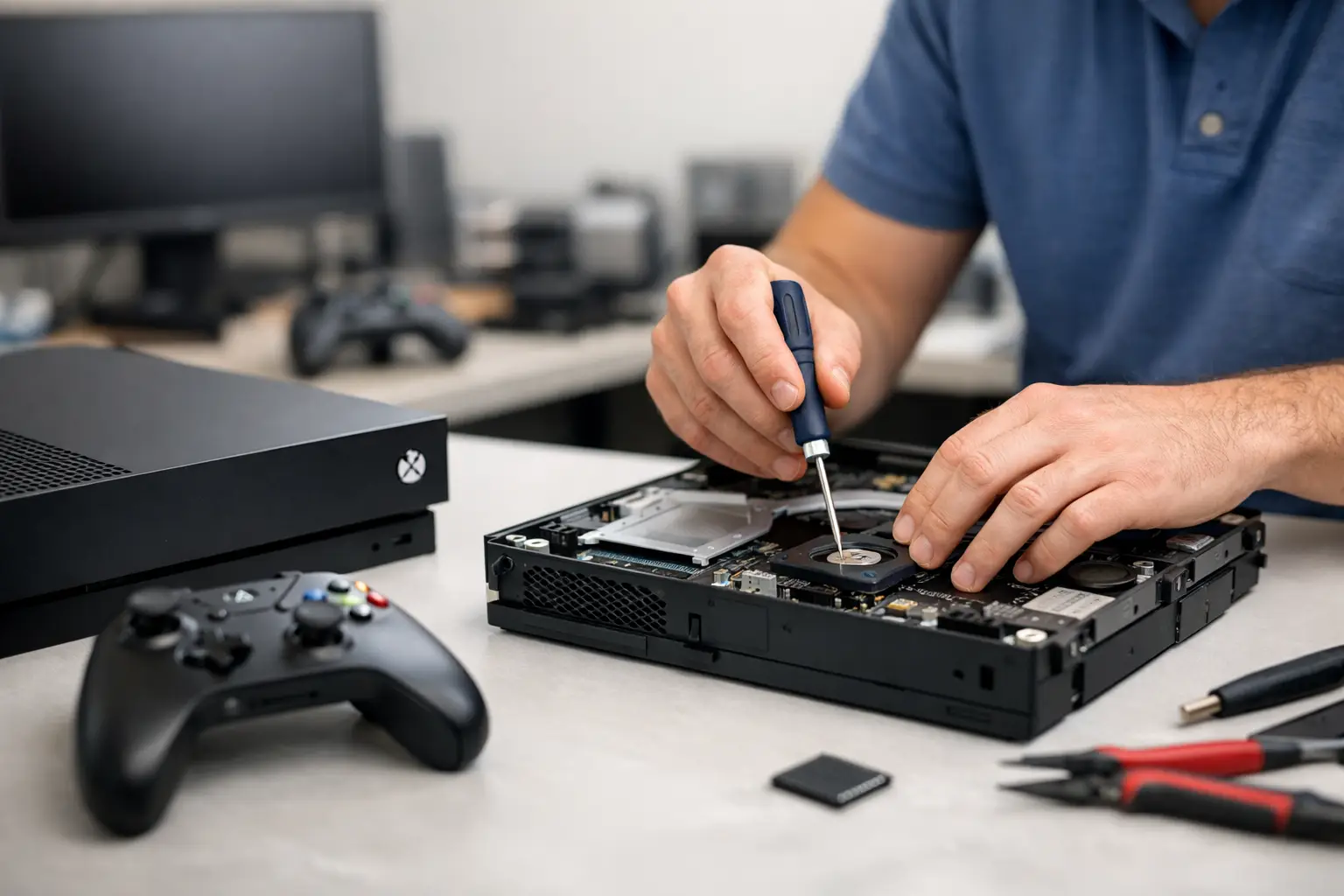
Your Xbox stops turning on the night your friends are coming over, the screen goes black after a bump, or the HDMI port suddenly will not hold a cable. Those are not small inconveniences when your console is how your household relaxes, plays, and connects. The best xbox repair options depend on what failed, how quickly you need it back, and whether the repair comes with real protection if the issue returns.
For many problems, replacing the console is the most expensive and least practical first move. A professional diagnosis can identify whether you are dealing with a worn port, a damaged power circuit, overheating, storage trouble, or a controller issue. The right shop gives you a clear answer, a fair quote, and a repair timeline before work begins.
Best Xbox Repair Options by Problem
Xbox consoles are complicated devices, but the symptoms are often familiar. Start with the issue you can see or hear, then choose a repair path that matches it.
HDMI port repair for no picture or a loose connection
If your Xbox powers on but the TV says “No Signal,” the HDMI cable is the first thing to test. Try a known-good cable and another TV input. If the cable only works at a certain angle, falls out easily, or the port has visibly bent pins, the HDMI port itself likely needs repair.
An HDMI port replacement is board-level work. The damaged port must be removed without harming the nearby components, then a new port must be soldered precisely in place and tested for stable video output. This is not a job for glue, a cheap adapter, or a quick at-home fix. A repair shop with microsoldering capability is the better option because it can address the port and inspect for damage beneath it.
Power and startup repair for a dead Xbox
A console that will not power on can be frustrating because the cause is not always obvious. It may be a failed power supply, a damaged charging or power circuit, a bad internal component, or damage from a surge. Xbox Series X, Series S, Xbox One, and older models can all show similar symptoms even when the repair is different.
Before booking service, unplug the Xbox for several minutes and check the power cable and outlet. If it still will not start, avoid repeatedly forcing power cycles or opening the system. A qualified technician can test the power path and determine whether the repair is economical. The best result is a diagnosis that separates a simple power issue from a board-level failure, rather than charging you for a guess.
Overheating and loud fan repair
A hot console, sudden shutdowns, or a fan that sounds like it is working overtime can point to blocked airflow, dust buildup, failing cooling parts, or dried thermal material inside the console. Keep the Xbox in an open area, not inside a tight cabinet or against a wall. Make sure its vents are clear before assuming a major repair is needed.
If it continues to overheat, professional cleaning and cooling service can help prevent more serious damage. The technician should inspect the fan, heat sink, internal dust, and thermal transfer materials instead of simply blowing air through the exterior vents. Ignoring repeated overheating can turn a maintenance issue into a costly board repair.
Disc drive, storage, and game loading problems
A disc that will not read, eject, or install may be caused by a worn disc drive mechanism or internal hardware fault. On digital models, slow boot times, error messages, crashes, and games that will not load may point to storage trouble or software corruption.
Software troubleshooting is worth trying first when the console still starts normally. Check for system updates, confirm there is enough free storage, and follow the console’s reset options carefully. If the problem remains after basic troubleshooting, a shop can inspect the drive or storage hardware. Do not force discs into the console or attempt to pry one out. That often adds physical damage to the original problem.
Xbox controller repair or replacement
Controller drift, broken buttons, weak charging ports, and unresponsive triggers can make a working Xbox feel unusable. A controller repair is often worthwhile when the controller is otherwise in good condition, especially for premium or newer models. Stick drift may require component-level work, while a broken shell or worn battery can be more straightforward.
Compare the repair price against the cost of a replacement controller, but do not judge by price alone. A very cheap repair without a warranty can become expensive if the same drift or button issue returns a few weeks later.
Choosing Between Local Repair, Manufacturer Service, and DIY
The best xbox repair options are not identical for every owner. Manufacturer support can make sense if your Xbox is under an active warranty and the issue is covered. The trade-off is turnaround time. Shipping a console out for service can leave you without it for days or weeks, and you may need to reset the device or manage game data before sending it away.
A local professional repair shop is usually the strongest choice when you need fast answers, your warranty has expired, or the console needs a common repair such as an HDMI port, power diagnosis, cleaning, or controller service. You can speak with the technician, get a quote before approving work, and avoid the uncertainty of mailing your console away. Same-day service may be possible for many repairs, although board-level damage and parts availability can affect the timeline.
DIY repair is best reserved for low-risk steps: testing cables, checking ventilation, updating software, and cleaning exterior vents. Opening an Xbox without the right tools and experience can damage clips, strip screws, disconnect internal cables, or create a bigger problem on the motherboard. HDMI and power issues especially require professional equipment and skill.
What to Ask Before Approving an Xbox Repair
A repair shop should make the decision easy, not pressure you into it. Ask whether the console will be diagnosed before a final repair recommendation, what parts will be used, and whether the quoted price includes labor. You should also ask about the expected turnaround and what warranty applies to the specific repair.
Warranty coverage matters because it shows whether a shop stands behind its work. Read the terms rather than relying on a vague promise. A good warranty should explain what is covered and how the shop handles a recurring issue. It should not be used as an excuse for unclear pricing or rushed service.
Experience matters most on repairs that involve the motherboard. An HDMI replacement can look simple from the outside, but the work requires heat control, careful soldering, and testing after reassembly. Look for technicians who regularly handle console repairs and can explain the likely cause in plain language.
Fast Xbox Repair in Middle Georgia
For gamers in Warner Robins, Macon, Perry, Centerville, Bonaire, and nearby Middle Georgia communities, a local diagnosis can save time and prevent an unnecessary replacement. Reboot Hub handles Xbox repair with certified technicians, competitive pricing, and a lifetime warranty on eligible repairs. Many common device repairs can be completed the same day, with a 30-minute-or-less goal whenever the repair and parts allow.
Bring the console, its power cable, and any controller involved in the problem. If the issue happens only with a particular game, TV, or cable, mention that at check-in. Those details can shorten the diagnosis and help the technician test the right failure point.
A broken Xbox does not have to mean a new console or a long wait. Get a clear diagnosis first, choose a repair backed by real workmanship, and get back to the games without paying for more than the problem requires.