
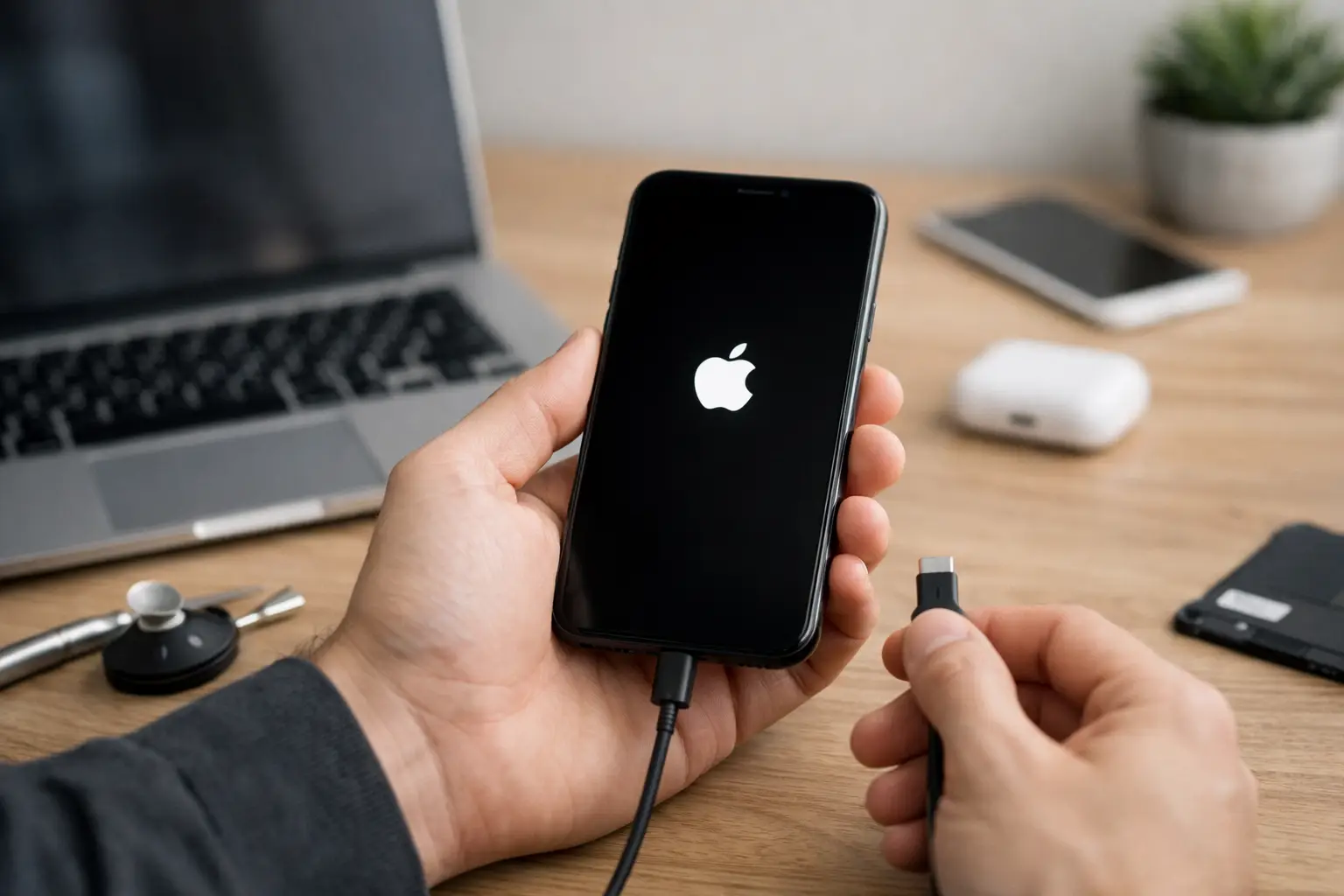
Your iPhone shows the Apple logo, goes black, restarts, and repeats. No home screen. No calls. No texts. If you need to fix iPhone boot loop issue fast, the biggest mistake is guessing and making it worse with random resets, cheap chargers, or repeated restore attempts.
A boot loop usually means your iPhone can still power on, but something is blocking a normal startup. Sometimes that something is minor, like a failed update or low storage. Sometimes it is hardware, like battery failure, charge circuit trouble, or board damage after a drop or water exposure. The right fix depends on what happened right before the loop started.
What causes an iPhone boot loop?
Most boot loops come from either software corruption or a hardware failure. The tricky part is that the symptom looks the same either way. Your phone restarts over and over, but the reason behind it can be very different.
Software-related loops often start after an iOS update, a failed restore, data transfer problems, or apps that crash the startup process. If the phone was full on storage before the problem started, that is another common clue. iPhones need working space to complete updates and load system files correctly.
Hardware-related loops are more serious and more common than people think. A weak battery can cause unstable startup voltage. A damaged charging port can create erratic power behavior. If the phone was dropped recently, internal connectors can shift just enough to interrupt boot. Water damage can also trigger restart loops, and not always right away. Corrosion often shows up hours or days later.
First checks before you try to fix iPhone boot loop issue
Start with the basics, but do them in the right order. If your phone is in a restart cycle, every extra variable makes diagnosis harder.
Take off the case and disconnect every accessory. If you are using a damaged cable or an off-brand charger, stop using it for now. Plug the phone into a known-good charger and let it sit for 15 to 20 minutes. A deeply drained battery can act unstable during startup.
Next, think back to the moment this started. Did it happen after an update? After the phone got wet? After a drop? After the battery drained to zero? That timeline matters. If there was recent physical damage, skip the aggressive software experiments. A restore will not fix a failing battery, a shorted component, or board-level damage.
If the phone is extremely hot, smells odd, or shows any sign of swelling, stop there. That is not a DIY situation.
Try a force restart first
A force restart is the safest first move because it does not erase data. On iPhone 8 and newer, press and release Volume Up, press and release Volume Down, then hold the Side button until the Apple logo appears. On iPhone 7 and 7 Plus, hold Volume Down and the Sleep/Wake button together. On iPhone 6s and earlier, hold the Home and Sleep/Wake buttons together.
If the phone boots normally after that, watch it closely. A one-time crash is different from a true loop. But if it drops back into the same cycle, you have confirmed the issue is persistent.
When an update or restore caused the problem
If the loop started right after an iOS update or restore attempt, connect the phone to a computer and try recovery mode. This gives you a chance to reinstall iOS. It can work well for software corruption, but there is a trade-off. If you choose restore instead of update, it can erase your data if you do not have a backup.
Put the device into recovery mode using the same button steps for your model, but keep holding the final button until the recovery screen appears. On the computer, choose Update first if that option is available. That attempts to reinstall iOS without wiping everything.
If Update fails and the phone still loops, Restore is the next step. That can solve a software-level boot loop, but it is not risk-free. If the root cause is hardware, the restore may fail or the phone may boot loop again afterward. That is why repeated restore attempts are usually a waste of time once hardware signs are obvious.
Low storage can trigger startup problems
This one catches a lot of people off guard. If your iPhone was nearly full before the issue started, especially during an update, the system may not have had enough space to finish writing critical files.
In mild cases, an update through recovery mode can bring it back. In worse cases, the file system is damaged enough that only a full restore works. If your phone has been warning you about storage for weeks, take that seriously. It is not just about photos and apps. It can affect stability.
Signs the boot loop is actually a hardware problem
A lot of people hope every restart loop is just software because software sounds cheaper and easier. Sometimes it is. But certain patterns point strongly to hardware.
If the phone only loops when unplugged, the battery may not be holding voltage correctly. If it loops after a drop, an internal connection or board component may be damaged. If it began after water exposure, corrosion is high on the list even if the screen still looks normal. If the device gets stuck on the Apple logo during charging, the charge port or power management circuit may be involved.
Another clue is failed computer detection. If your computer cannot consistently recognize the phone, or the restore process throws repeated errors, that often points beyond software. The same is true when the phone restarts under slight movement or pressure.
Why DIY boot loop fixes sometimes backfire
There is nothing wrong with trying safe first steps. Force restart, good charger, recovery mode update – that all makes sense. The problem starts when people stack risky fixes without knowing the cause.
Repeated hard resets can stress an already failing battery. Cheap replacement parts can create new issues if someone decides to self-repair. Internet advice often treats every iPhone model and every failure the same. They are not the same. A boot loop caused by full storage is different from one caused by liquid damage on the logic board.
Rice is not a fix. Leaving it on a charger for two days is not a fix. Random button combinations are not a fix. Once hardware is involved, delay can make recovery less likely.
The fastest way to fix iPhone boot loop issue when time matters
If this is your work phone, your kid’s main device, or the phone you use for school and banking, speed matters more than experimenting for two days. The fastest path is usually a proper diagnosis from a repair shop that handles both common part failures and board-level issues.
That is where many shops split. Some can replace a battery or screen, but once the problem is deeper, they stop. A real diagnosis should rule out battery instability, charge port faults, update corruption, connector issues, and board damage instead of guessing.
If you are in Warner Robins or nearby parts of Middle Georgia, a local repair shop like Reboot Hub can usually tell you quickly whether the problem is fixable with a battery, a software recovery, or a deeper repair. That matters because no one wants to pay for the wrong fix or spend days waiting on a mail-in service just to hear that the phone still will not start.
What to do right now if your iPhone is stuck looping
Keep it simple. Use a known-good charger. Try one force restart. If the issue started after an update, attempt recovery mode and choose Update first. If there was water, a drop, swelling, unusual heat, or repeated restore failures, stop pushing it.
That is the line between a reasonable DIY attempt and wasting time. The longer a hardware issue keeps cycling, the more stress it can put on already failing components.
A boot loop is frustrating because it feels like the phone is almost alive but never usable. The good news is that many of these cases are repairable. The key is not doing every possible fix. It is doing the right one early, before a recoverable problem turns into a more expensive one.