
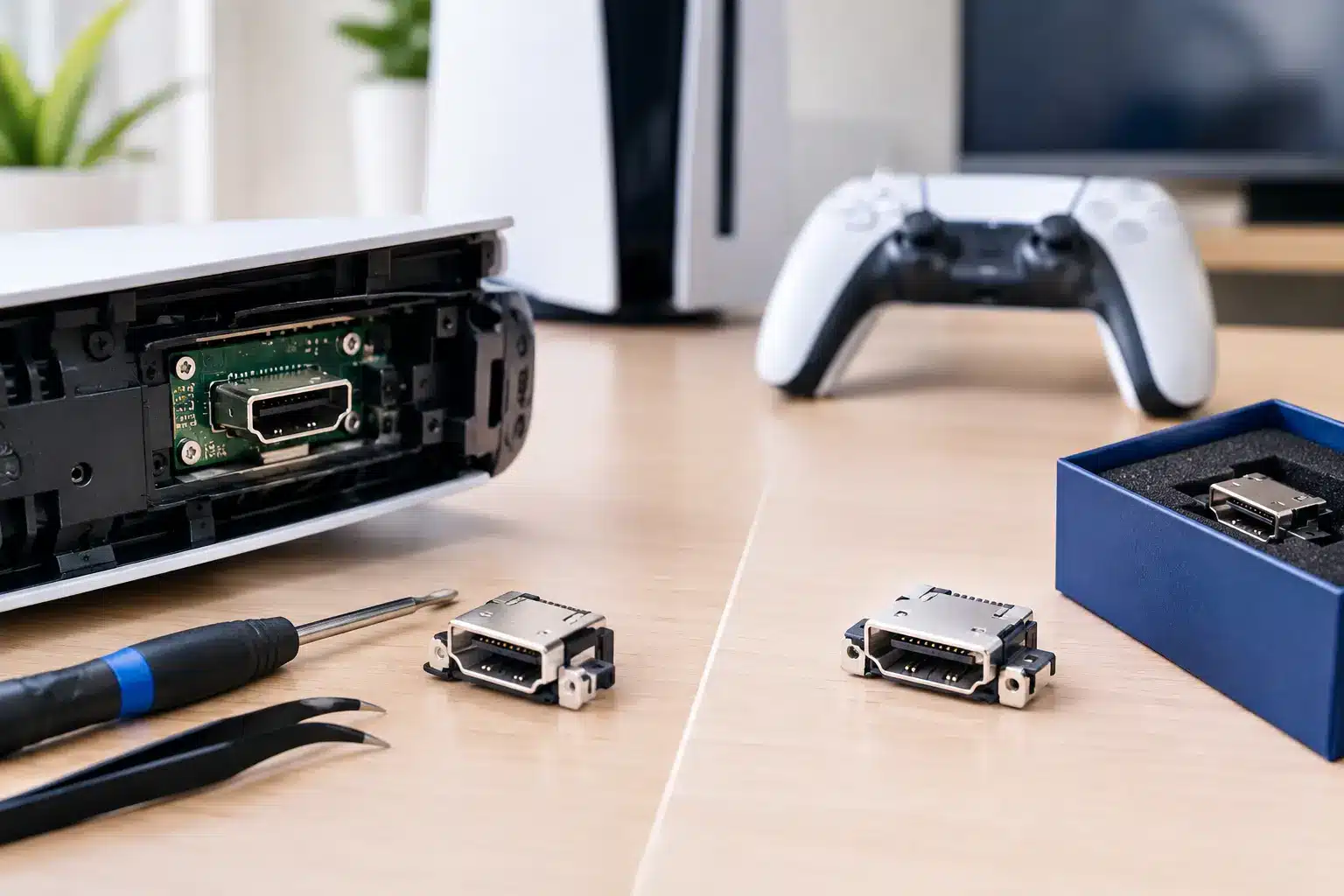
A PS5 that powers on but shows a black screen can turn game night into a fast frustration. The good news is that PS5 HDMI repair versus replacement is usually not a choice between fixing your console and buying a new one. In many cases, a damaged HDMI port can be repaired by replacing the port itself, restoring the video connection without replacing the entire PS5.
The right answer depends on what failed, how badly it failed, and whether the console has additional board damage. A proper diagnosis matters because an HDMI problem can look simple from the outside while requiring advanced microsoldering inside.
PS5 HDMI Repair Versus Replacement: Know the Difference
When people say their PS5 needs an HDMI replacement, they often mean the HDMI port needs to be replaced. That is still a repair, not a reason to replace the full console.
The HDMI port is the small connection on the back of the PS5 where the cable plugs in. It takes a lot of strain from cables being bent, consoles being moved, or a controller stand, wall, or entertainment center pushing against the cord. If the port is loose, bent, cracked, or has missing pins, replacing that component is normally the smart move.
Replacing the entire PS5 becomes more realistic only when the cost of repairing multiple serious issues approaches the value of the console. That is less common than people think. Even when the HDMI port damage reaches the board, a technician with board-level repair experience may be able to repair the affected traces, filters, or HDMI circuitry.
Put simply: a broken port does not automatically mean a broken PS5.
Signs Your PS5 Likely Needs HDMI Port Repair
Physical HDMI port damage has some clear warning signs. Your TV may show “No Signal,” the picture may flicker or cut out when the cable moves, or the cable may feel loose instead of fitting securely. In some cases, you can see bent metal, damaged pins, or a port that appears pushed inward.
A port replacement is often the likely fix when the console turns on normally but cannot maintain a video connection. The system may light up, you may hear it boot, and your controller may connect, yet nothing appears on the screen.
Do not keep forcing the HDMI cable into a damaged port. Repeated pressure can tear pads from the board or damage surrounding components. That can turn a straightforward port replacement into a more involved microsoldering repair.
Before assuming the port is the problem, test a known-good HDMI cable and a different TV input if possible. A bad cable or incorrect input setting costs far less to solve than a console repair. But if the cable works with another device and your PS5 still has no picture, it is time for a professional diagnostic.
When the Problem Is More Than the Port
Not every black screen means the HDMI connector is damaged. A PS5 can have a clean-looking port and still fail to send video because of internal board damage. Power surges, liquid exposure, drops, prior poor-quality repair work, and shorted HDMI components can all affect the signal path.
This is where repair experience makes a difference. Swapping an HDMI port without testing the board can leave you with the same no-signal problem after the repair. A qualified technician should inspect the port, test the connections, and determine whether the console needs port replacement, board work, or another repair entirely.
Board-level HDMI repairs are more specialized, but they can still be worth it when the rest of the PS5 is in good condition. The decision comes down to the extent of the damage and the repair estimate, not a guess based on one symptom.
Repairing the Port Is Usually Better Than Replacing the Console
For most gamers, replacing a damaged HDMI port is the better value. A new PS5 costs significantly more than a targeted HDMI repair, and replacing the console creates extra hassle. You may need to transfer saved data, reinstall games, sign back into accounts, and deal with availability or trade-in value.
A repair also keeps your existing console, storage setup, accessories, and downloaded library in place. If your system is otherwise working well, there is little reason to replace it over a single failed connection.
There are situations where replacement makes sense. If the console has major water damage, repeated overheating, extensive board corrosion, or several expensive failures at once, putting more money into repair may not be the best choice. An honest repair shop should explain that clearly before work begins.
The key is avoiding the false choice of “no signal means buy another PS5.” A diagnostic should identify the actual fault and give you a clear repair path.
What Affects PS5 HDMI Repair Cost?
The cost of PS5 HDMI repair depends on whether the damage is limited to the port or involves the board behind it. A port with bent pins or a broken connector generally requires removing the old part, preparing the board, soldering in a replacement port, and testing the video output.
Costs can rise when the board pads are lifted, data lines are damaged, or HDMI-related components have failed. Those repairs require more testing and microsoldering skill. They are still often less expensive than replacing a working PS5, but the estimate should reflect the actual condition of the console.
Turnaround also matters. Mail-in repairs can leave you without your console for weeks, while a local shop can often diagnose the issue and complete qualifying repairs the same day. For gamers looking for PS5 HDMI port repair in Macon or Warner Robins, choosing a nearby repair team means you can get answers without packing up your console and hoping it returns quickly.
Why DIY HDMI Repair Can Cost More Later
Watching a video can make HDMI port repair look like a quick soldering job. It is not. The port has many small pins and sits directly on a densely packed circuit board. Too much heat, a misplaced tool, or excess solder can damage the board and make the final repair more difficult.
DIY attempts also create a common problem: the port may look replaced, but one or more connections are not properly soldered. That can cause intermittent video, no video, or damage that only becomes obvious after the console is reassembled.
If you have experience with microsoldering equipment and board diagnostics, you understand the risks. If not, bringing the console to a trained technician is usually the faster and more affordable route. The goal is not just to install a port. It is to confirm the PS5 delivers a stable image after the repair.
What to Expect From a Professional HDMI Diagnostic
A good PS5 repair process starts with testing, not assumptions. The technician should inspect the HDMI port, check for visible damage, test the console with known-good equipment, and look for signs of board-level issues.
If the port is the problem, the damaged connector is removed and replaced with a new one. The repair should then be tested for a reliable picture, not just a brief signal on a monitor. If the issue is deeper, you should receive a clear explanation of what failed, what the repair involves, and whether the repair is worth approving.
At Reboot Hub, certified technicians handle game console repairs with a speed-first approach, clear pricing, and warranty-backed work. That matters when your PS5 is your main way to relax, play with friends, or keep the family entertained.
Make the Call Based on the Damage, Not the Panic
A black screen feels like a major console failure, but it is often a repairable HDMI issue. Start with the cable and TV input, then stop using the port if it is loose or visibly damaged. The sooner the console is diagnosed, the better the chance of keeping the repair straightforward.
If your PS5 has no signal, get a professional diagnostic before spending hundreds on a replacement console. A properly repaired HDMI connection can put you back in the game far sooner than starting over with a new system.