
You notice it on a call first. Voices sound far away, music loses all its detail, and speakerphone suddenly feels useless. If you’re searching for how to fix muffled phone speaker problems, the good news is that the cause is often simple. The bad news is that waiting too long can turn a minor issue into a full speaker repair.
A muffled phone speaker usually comes down to one of three things: blockage, software behavior, or hardware damage. The trick is knowing which one you’re dealing with before you waste time poking at settings that won’t help – or worse, damage the speaker trying to clean it.
How to fix muffled phone speaker without making it worse
Start with the obvious, but do it carefully. Most muffled speakers are caused by packed lint, dust, dried moisture, or grime sitting in the speaker mesh. That tiny grille at the top or bottom of your phone doesn’t need much buildup to choke the sound.
Take off the case and screen protector if they overlap the speaker area. Some cheap cases look harmless but partially block the speaker opening, especially after they shift out of place. If the sound improves with the case off, you found the problem.
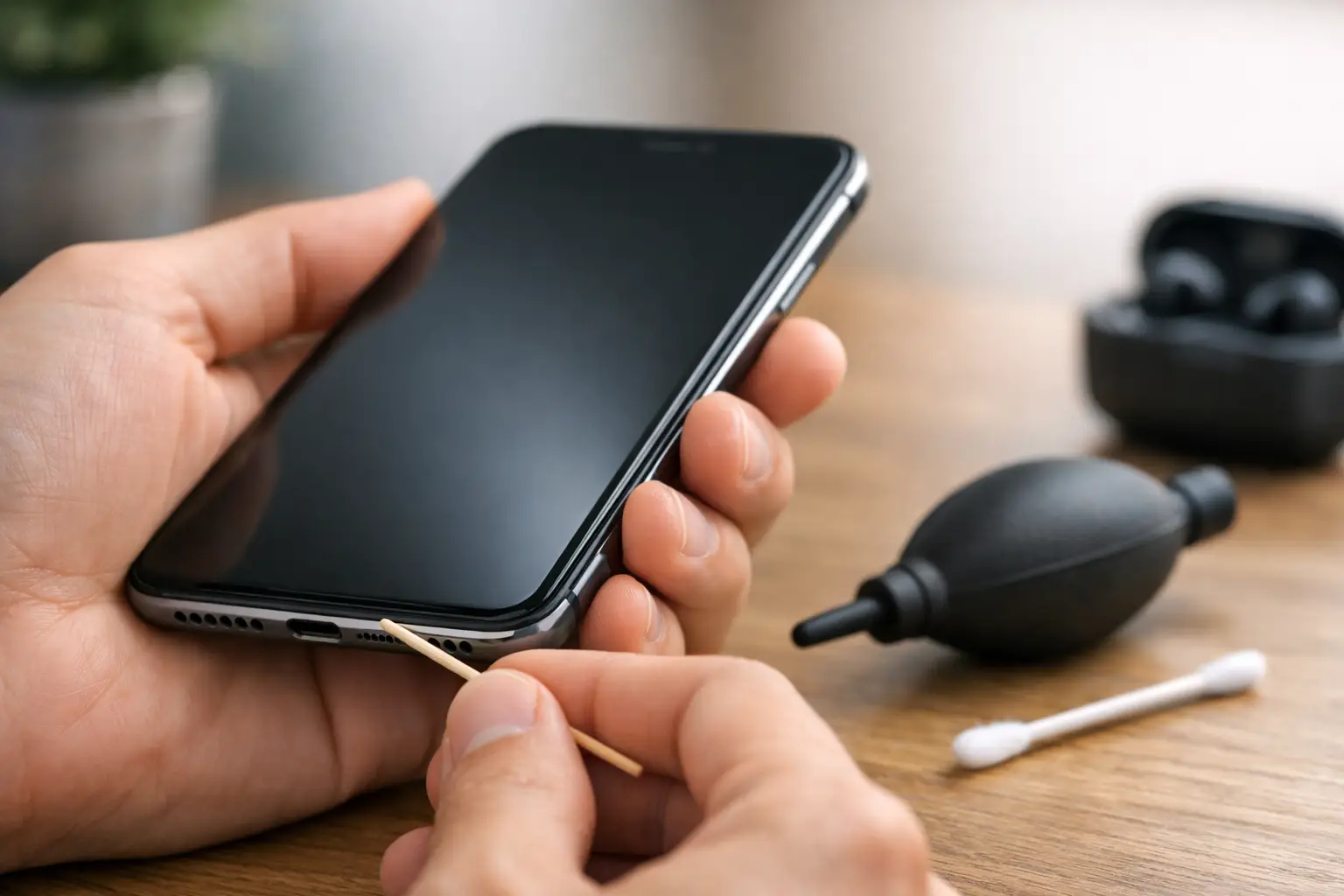
Next, inspect the speaker with good lighting. If you can see debris, don’t jam a pin or paperclip into the mesh. That is one of the fastest ways to puncture the grille or damage the speaker underneath. Instead, use a soft dry toothbrush or a clean anti-static brush and lightly sweep the area. Short, gentle strokes work better than pressing hard.
Compressed air can help, but only if used lightly and from a safe distance. Too much pressure can push debris deeper or stress the speaker membrane. If the phone has been around dust, pocket lint, makeup, or workshop debris, this step alone can make a big difference.
If your phone still sounds muffled, test more than one app. Play a video, make a call, try speakerphone, and use a ringtone preview. This matters because a problem in one app can feel like speaker damage when it’s really bad audio processing, a Bluetooth issue, or a software glitch.
Check the settings before assuming it needs repair
A surprising number of speaker complaints come from settings conflicts. Bluetooth is a common one. Your phone may still be trying to send audio to earbuds, a car, or a smart speaker you forgot was paired. Turn Bluetooth off completely and test again.
Then check sound-related settings. On some phones, accessibility features, mono audio, hearing settings, or app-specific audio controls can alter output in a way that sounds dull or weak. If the phone has an equalizer or sound enhancement option enabled, try turning it off temporarily. Overprocessed audio can sometimes sound muddy rather than clearer.
Restart the phone. It sounds basic because it is, but temporary audio routing bugs do happen on both iPhone and Android devices. A reboot can clear them fast.
Also make sure your phone’s software is up to date. If the muffling started after a recent drop, spill, or dirt exposure, software is probably not the main issue. But if it appeared after an update or randomly without physical damage, a system update or app update may help.
Water and moisture change everything
If the speaker got muffled after rain, a spill, gym sweat, or dropping the phone near water, moisture is the first suspect. Even water-resistant phones can develop speaker distortion after liquid exposure. Water can sit behind the mesh and dampen vibration, making voices sound low, fuzzy, or crackly.
Do not charge the phone right away if it may still be wet. Let it dry in a well-ventilated area. You can place it upright so gravity helps moisture drain away from the speaker opening. Avoid blasting it with a hair dryer. High heat can damage seals, screens, and internal components.
Some phones improve after several hours. Others don’t, especially if minerals or residue are left behind after the moisture evaporates. That’s why two water-exposed phones can look the same on the outside but behave very differently. One may dry out fine. Another may need cleaning or component repair.
If the sound is getting worse instead of better after moisture exposure, that’s usually a sign to stop troubleshooting at home.
When muffled sound means actual hardware damage
Sometimes the speaker itself is damaged. This is more likely if the phone was dropped, bent, exposed to liquid, or previously repaired with low-quality parts. In those cases, cleaning the grille won’t fix much because the issue is deeper than the mesh.
A damaged earpiece speaker usually shows up during regular phone calls. You can hear people, but they sound quiet, fuzzy, or distant even at full volume. A damaged loudspeaker tends to affect speakerphone, music, videos, and alarms. If both sound bad, there could be broader audio damage, a board-level issue, or liquid corrosion.
There’s also the possibility that the speaker isn’t the problem at all. A faulty microphone on the other person’s device, bad call quality, a poor recording, or network compression can make audio sound muffled. That’s why testing several sound sources matters. If every source sounds bad on your phone, it points back to your hardware.
How to tell whether you need a repair shop
If basic cleaning, a restart, and settings checks don’t change anything, the next question is whether the problem is worth professional repair. In most cases, yes – especially if the phone is essential for work, school, or family communication.
You probably need repair if the speaker sounds distorted at all volumes, crackles after a drop, stays muffled after drying out, or cuts in and out when you move the phone. Those symptoms usually don’t fix themselves. They tend to get worse.
This is where speed matters. A phone speaker issue might be a simple cleaning and replacement, or it might involve corrosion or board-level damage that spreads if ignored. The faster it’s diagnosed, the better your odds of avoiding bigger repairs later.
A good repair shop should be able to test the earpiece speaker, loudspeaker, mesh, and related audio components quickly. If they’re experienced, they can also rule out false alarms like blocked grills, software routing issues, or damaged housings pressing against the speaker.
What not to do when trying to fix a muffled speaker
A lot of DIY mistakes come from trying too hard. Avoid sharp tools, soaking the area with alcohol, blasting compressed air directly into the mesh, or scraping at the speaker opening. Those methods can tear the mesh, push debris deeper, or spread moisture where it should not go.
Be careful with internet hacks too. Some sound-frequency tricks can help shake out tiny water droplets in specific situations, but they are not a cure for dirt, corrosion, or damaged speaker parts. If you rely on them too long, you may delay the repair you actually need.
And if your phone has already been dropped in water or the sound changed after impact, don’t assume a louder volume setting means it’s fixed. Distortion at high volume often means the speaker is straining, not recovering.
How to fix muffled phone speaker problems the smart way
The smart approach is simple. Rule out blockage. Rule out settings. Consider moisture. Then stop before DIY turns a quick repair into an expensive one.
For many people, that means trying a careful surface clean, removing the case, disconnecting Bluetooth, restarting the device, and testing multiple audio sources. If that doesn’t solve it, the fastest path is a proper diagnosis from technicians who handle phone repair every day.
At Reboot Hub, we see this issue all the time with iPhones and Android devices. Sometimes it’s pocket lint packed into the mesh. Sometimes it’s water damage. Sometimes the speaker assembly needs replacement. The point is you should know quickly, not lose half a day guessing while your phone gets harder to use.
A muffled speaker is easy to ignore when the phone still technically works. But if you’re missing calls, struggling on speakerphone, or replaying every voicemail twice, it’s already costing you time. Get it checked before muffled turns into silent.