
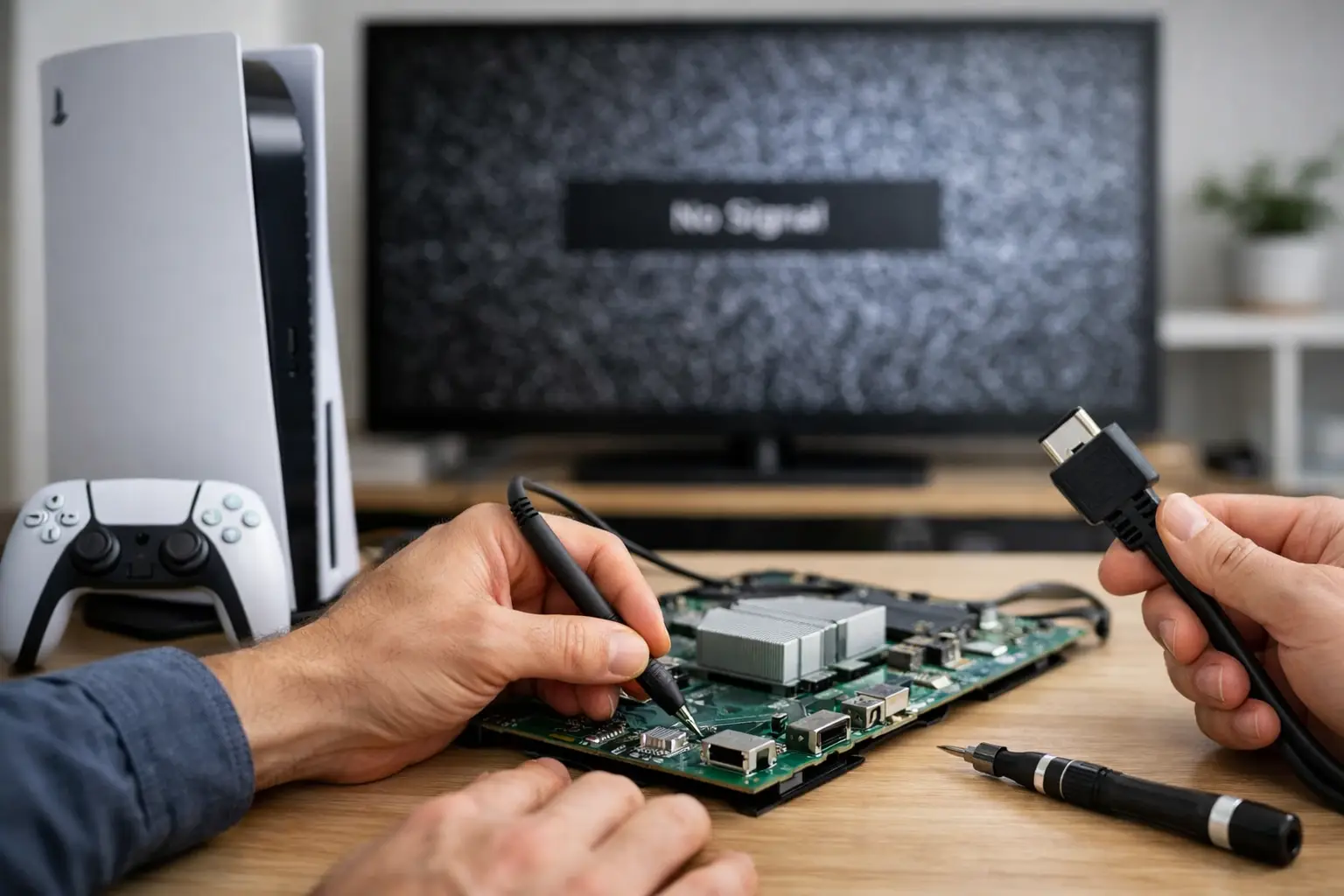
Your PS5 turns on, the lights come up, and the fan may even spin – but the TV says No Signal. A PS5 no signal repair example usually starts with one question: is the problem the TV setup, the HDMI cable, or the console itself? The answer matters because a loose $15 cable and a damaged HDMI port can look exactly the same from the couch.
The good news is that no signal does not automatically mean your PS5 is done for. In many cases, the console is powering on normally and needs a focused HDMI or board-level repair. The key is ruling out the simple causes first, then getting the console diagnosed before repeated plugging, twisting, or forced cable connections make a small issue worse.
PS5 No Signal Repair Example: From Black Screen to Diagnosis
Here is a typical repair example. A customer brings in a PS5 that powers on with a solid white light but displays nothing on multiple TVs. They have already tried a new HDMI cable, changed TV inputs, and power-cycled both devices. The console may have been bumped, moved while connected, or had a cable pulled at an angle. Sometimes there is no clear accident at all.
At that point, a technician does not assume every no signal console needs the same fix. The first step is to test the PS5 with a known-good HDMI cable and display. This removes the guesswork around a worn cable, a bad TV port, an incorrect input selection, or a receiver that is not passing the signal through correctly.
Next comes a close inspection of the PS5 HDMI port. The port sits at the back of the console, but its connection points are attached directly to the motherboard. Bent internal pins, a loose port, cracked solder joints, or damage around the port can stop video from reaching the screen. A port can also look mostly normal from the outside while its solder joints have broken underneath.
In this example, if the port is loose or its pins are damaged, the repair is a proper HDMI port replacement. That is board-level work, not a simple plug-in part swap. The damaged port must be removed without harming the motherboard pads, the replacement port must be aligned precisely, and every connection needs to be inspected and tested. Once the video output is restored, the technician confirms the PS5 can hold a stable image through startup and gameplay.
That is the repair customers hope for, but it is not the only possible diagnosis. If the HDMI port is secure and the pins test correctly, the issue could involve the HDMI circuit, filters, protection components, or another motherboard fault. Water exposure, power surges, previous repair attempts, and overheating can all change the path of the repair. A good diagnosis tells you what failed before anyone quotes a repair based on a guess.
What You Can Check Before Booking PS5 Repair
A few quick checks can save you a trip if the problem is outside the console. Connect the PS5 directly to the TV instead of routing it through a soundbar, capture card, splitter, or receiver. Then select the correct HDMI input manually on the TV. Auto-detect does not always switch to the active port.
Try one known-good, high-speed HDMI cable that works with another device. Do not rely on a cable just because it looks fine. HDMI cables can fail internally, especially after being bent sharply or repeatedly moved from one console to another.
Power down the PS5 completely, not just Rest Mode. Unplug the console and TV for a minute, reconnect them, then turn on the TV first and the PS5 second. If the console was set to a display mode your TV does not support, starting Safe Mode and changing video output settings can sometimes help. To attempt that, turn the PS5 off fully, hold the power button until you hear the second beep, and connect a controller with a data-capable USB cable.
These steps are worth trying once. They are not a reason to spend hours swapping cables and forcing connections. If the PS5 has no video on more than one verified display and cable, or the HDMI plug feels loose in the console, it is time for a professional inspection.
Signs the HDMI Port Is Likely the Problem
The most common physical failure is the HDMI port, particularly on consoles that are moved frequently or used in a tight entertainment center. Watch for these signs:
- The HDMI cable slips out easily or will not seat firmly in the port.
- You see bent, missing, or uneven pins when looking into the port with a light.
- The image cuts in and out when the cable is touched or the console is moved.
- The PS5 works only when the cable is held at a certain angle.
- The TV detects the PS5 briefly, then returns to No Signal.
Do not insert tools, pins, or compressed-air straw attachments into the port. It is easy to bend a pin or dislodge debris farther inside. Also avoid wiggling the HDMI cable to make the picture appear. If the port is already loose, that movement can damage the board traces underneath and turn a straightforward port replacement into a more involved microsoldering repair.
Why PS5 No Signal Repairs Need More Than a New Cable
An HDMI port replacement sounds simple because the part itself is small. The work is not. The PS5 motherboard contains delicate pads and components near the port, and excessive heat or poor alignment can create new problems. A repair that produces a picture for five minutes is not a finished repair. The console should be tested for stable video, proper resolution detection, and a secure cable connection.
This is also why the lowest advertised price is not always the best value. Ask whether the shop performs a diagnosis, whether it handles board-level work, and whether the repair is covered by a meaningful warranty. A fair repair should address the actual failure, not just replace a part because it is the most common answer.
For Middle Georgia gamers who need their console back quickly, Reboot Hub provides PS5 repair with a speed-first approach, clear diagnostics, competitive pricing, and warranty-backed work. Same-day availability depends on the fault and parts on hand, but an HDMI port issue should not automatically mean weeks without your games.
When Repair Makes More Sense Than Replacing the PS5
If your PS5 powers on normally, reads discs, responds to the controller, and has no major liquid or power damage, repairing the video output is often the practical choice. Replacing the console means spending far more, transferring your setup, and hoping you can find a new unit when you need it. Repair is especially sensible when the issue is limited to the HDMI port or a specific video circuit.
It depends on the overall condition of the console. A PS5 with severe corrosion, several prior failed repairs, or widespread motherboard damage may require a more detailed estimate. That is exactly why diagnosis comes first. You deserve to know whether the repair is a good investment before approving the work.
A black screen can feel like a dead console, but it is often a fixable connection problem. Stop forcing the cable, test the simple setup issues once, and have the PS5 checked by a technician who can identify the real cause and get you back to playing without unnecessary delay.